
Download Nimble – Social Sales & Marketing CRM, Lead Generation, Email Tracking
Overview
Nimble is positioned as a social sales and marketing CRM that brings together contacts from Google Workspace, Office 365, and major social networks into a single, searchable database. The platform’s core promise is simple: consolidate every relationship you have—customers, partners, prospects—so you can launch targeted campaigns without toggling between dozens of apps. While Nimble does not automate the creative work of writing emails or designing ads, it does automate data sync, keeping every team member’s contact list up‑to‑date in real time.
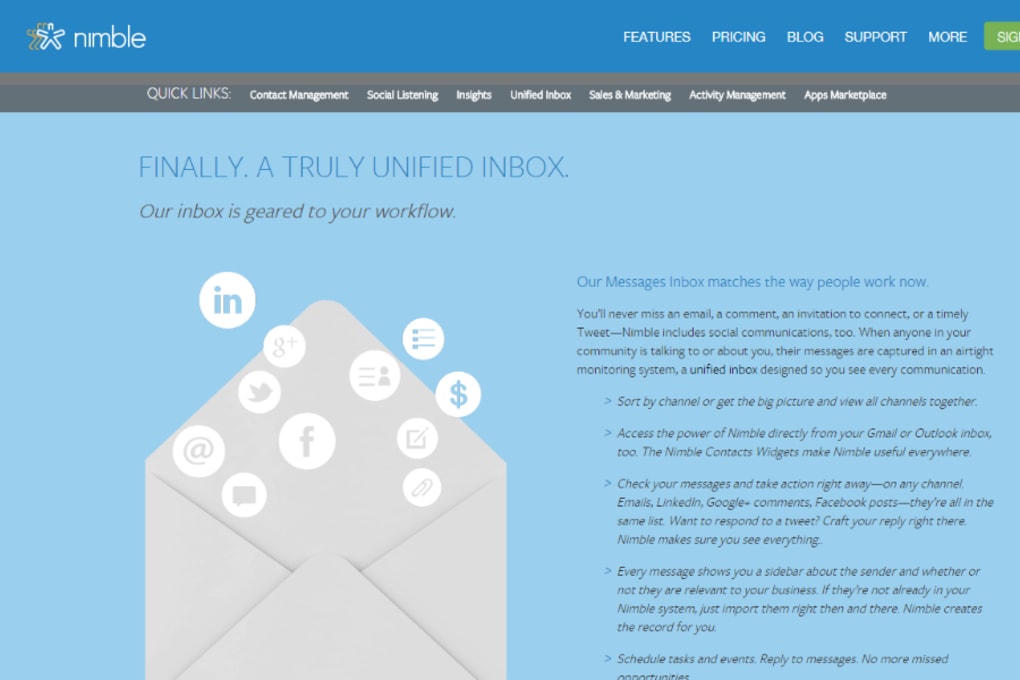
This eliminates the classic “multiple versions of the truth” problem that plagues sales teams. The interface relies heavily on clean graphics and intuitive icons, making it easy to differentiate between a lead, a client, or a strategic partner at a glance. One of Nimble’s standout capabilities is its email analytics suite, which tracks opens, clicks, and reply rates, turning ordinary outreach into data‑driven insight.
Although the tool offers 2 GB of cloud storage, its true value lies in the way it centralizes information and provides a modest but useful set of metrics for marketers looking to refine their messaging. In short, Nimble is a modern, cloud‑based organizer that shines when you need a single pane of glass for social prospecting and email performance tracking.
Key Features
- Unified Contact Database – pulls contacts from Gmail, Outlook, LinkedIn, Twitter, and Facebook.
- Social Search Engine – surface new prospects by scanning social profiles and recent interactions.
- Segmentation Tools – tag and group contacts for hyper‑targeted campaigns.
- Email Tracking & Analytics – real‑time open, click, and reply metrics displayed in a clear dashboard.
- Activity Timeline – chronological view of calls, emails, meetings, and social touches.
- Team Collaboration – shared pipelines and notes keep sales reps on the same page.
- Integrations – native connectors for HubSpot, Mailchimp, Zapier, and dozens of other SaaS tools.
- Mobile Apps – iOS and Android clients let you manage relationships on the go.
- Custom Reporting – build PDFs or CSV exports to share campaign performance with stakeholders.
- 2 GB Cloud Storage – store attachments, notes, and contact images securely in the cloud.
Installation & Usage Guide
Getting Started
Downloading Nimble is straightforward. Visit the official Nimble website, click the “Start Free Trial” button, and fill in your business email address. After confirming your account, you’ll be prompted to link your existing Google Workspace or Office 365 accounts. This step is crucial because Nimble’s automatic sync engine reads your contact lists, calendar events, and email history to populate its unified database. The onboarding wizard also asks you to import any CSV files you may have stored locally, ensuring no contact is left behind.
Configuration
Once your contacts are imported, the next step is to define custom tags that reflect your sales funnel—e.g., “Lead,” “Qualified,” “Opportunity,” and “Customer.” Nimble’s drag‑and‑drop pipeline view lets you move contacts between stages with a single click. To take advantage of the social search feature, connect your LinkedIn and Twitter accounts from the Settings → Integrations tab. The platform will then begin crawling public profiles, adding new prospects to a “Social Leads” list you can review weekly.
Running a Campaign
With your audience segmented, you can launch an email campaign directly from Nimble’s interface. Compose a message using the built‑in editor, select a recipient list, and schedule the send time. As the campaign runs, the Email Analytics dashboard updates in real time, showing which contacts opened the email, clicked on links, or replied. These insights feed back into your segmentation rules, allowing you to automatically promote high‑engagement leads to the next stage of the pipeline. Finally, export a performance report to PDF or CSV for sharing with your marketing manager or CFO.
Compatibility & System Requirements
Nimble is a fully cloud‑based solution, which means it works on any modern web browser—Chrome, Firefox, Safari, or Edge—on Windows 10/11, macOS 10.15 and later, and most Linux distributions. For mobile users, native apps are available on iOS 13+ and Android 8.0+. Because all data lives in the cloud, there’s no heavy client‑side installation; a stable internet connection (minimum 3 Mbps) is the only technical requirement. The platform also supports SSO via Okta, Azure AD, or Google Workspace for enterprises that need centralized authentication.
Pros and Cons
Pros
- Seamless syncing with Google and Microsoft ecosystems eliminates duplicate data entry.
- Social search quickly surfaces new prospects from LinkedIn and Twitter.
- Email analytics give clear, actionable metrics without needing a separate ESP.
- Intuitive UI with visual icons helps differentiate contacts at a glance.
- Mobile apps keep sales teams productive while on the road.
Cons
- Limited automation – users still need to craft emails and set up campaigns manually.
- 2 GB storage may be insufficient for teams that handle large attachments.
- Pricing is higher than basic contact managers, making it feel like an “expensive organizer.”
- Advanced reporting requires a higher‑tier plan.
- Social lead generation works best with LinkedIn; other networks provide fewer data points.
Frequently Asked Questions
Can I import contacts from a CSV file?
Yes. Nimble includes a bulk‑import tool that accepts CSV files with standard headers (Name, Email, Phone, Company). During import you can map each column to a custom field in Nimble.
Is there a free version of Nimble?
Nimble offers a 14‑day free trial with full feature access. After the trial, you must choose a paid plan; there is no permanently free tier.
How does Nimble’s email tracking work?
When you send an email through Nimble, a tiny invisible pixel is embedded in the message. When the recipient opens the email, the pixel loads from Nimble’s servers, registering an “open” event. Click tracking works similarly via unique, redirect‑wrapped URLs.
Can Nimble integrate with my existing marketing automation tool?
Yes. Nimble provides native connectors for HubSpot, Mailchimp, and Zapier, allowing you to push contacts and engagement data into most marketing automation platforms.
What level of customer support does Nimble offer?
All paid plans include email support, and higher‑tier plans receive priority chat and phone assistance. An extensive knowledge base and community forum are also available 24/7.
Conclusion & Call to Action
Overall, Nimble delivers a solid middle ground between a bare‑bones address book and a full‑blown marketing automation suite. Its strongest assets—social prospecting and email analytics—give small‑to‑medium businesses the insight they need to turn conversations into conversions without the complexity of enterprise CRMs. The platform’s downside is its limited automation and modest storage, which can feel restrictive for data‑heavy teams.
If your primary goal is to keep every contact in one secure, searchable place while gaining real‑time visibility into email performance, Nimble is a worthy investment. Ready to streamline your sales pipeline and start measuring email impact? Start your free trial today and see how a unified social CRM can boost your revenue.



.png)



